
DANEnet’s Digital Skills Offerings
Adults can gain basic computer skills and get help with tech questions in our free Digital Skills Classes or Computer Help Clinics held at libraries and community centers.
- Digital Skills Classes – held with small groups (typically 5-12 individuals) where an educator teaches about a specific topic, such as computer basics, email, cyber security, or cellphone basics.
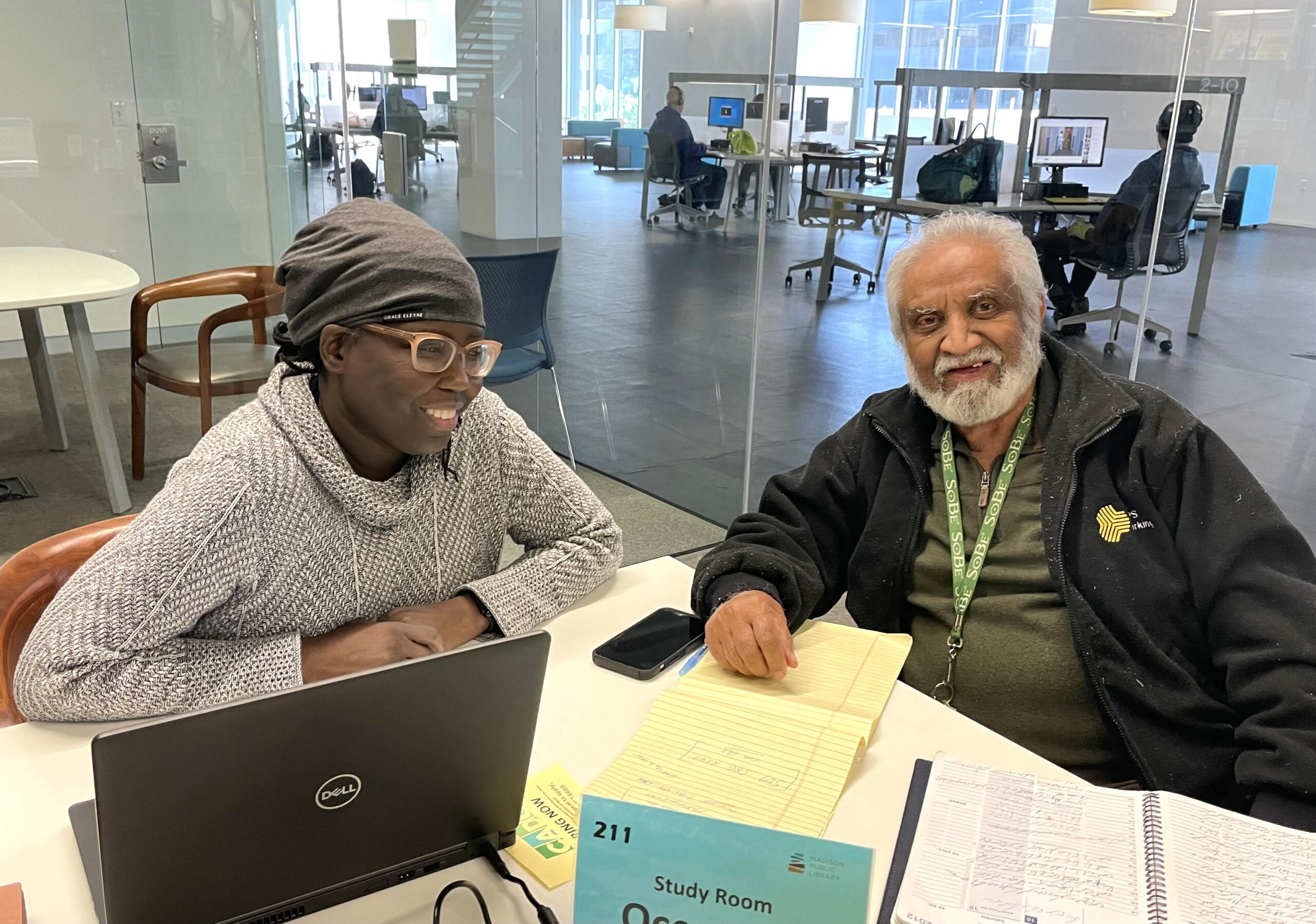
- Computer Help Clinics – one-on-one lessons for individuals to bring their unique tech questions and concerns to discuss with an educator or technician. 20-30 minute sessions are reserved for each client.
Upcoming Classes & Clinics
Online Tech Support: Group Q&A Session
Tuesday, September 22
11:00am-12:00pm via Zoom
Get personalized answers to all of your technology questions and curiosities from our educator live on Zoom! We can help with anything tech-related, from specific questions about your computer settings to questions about AI, scams, and so much more. Each hour-long Zoom class will be based on the questions and areas of interest that you submit when you register for class.
See our full session list and register online at bit.ly/techconnectrsvp
Online Tech Support: One-on-One Session
Tuesday, September 22
30-minute time slots available between 2-3:30pm (by appointment) via Zoom
Have a more detailed question? Need someone to patiently explain a technology service or process? Sign up for a 30-minute time slot and join our educator over Zoom to help you with any of your tech issues or frustrations.
See our full session list and register online at bit.ly/techconnectrsvp
Online Tech Support: Group Q&A
October Topic: Social Media
Tuesday, October 13
11:00am-12:00pm via Zoom
Get personalized answers to all of your technology questions and curiosities from our educator live on Zoom! We can help with anything tech-related, but this month we’re going to dive into questions about your favorite social media sites, privacy settings, sharing photos, and anything else you’re curious about. Submit your questions when you register for class!
See our full session list and register online at bit.ly/techconnectrsvp
Online Tech Support: One-on-One Session
Tuesday, October 13
30-minute time slots available between 2-4:30pm (by appointment) via Zoom
Have a more detailed question? Need someone to patiently explain a technology service or process? Sign up for a 30-minute time slot and join our educator over Zoom to help you with any of your tech issues or frustrations.
See our full session list and register online at bit.ly/techconnectrsvp
Online Tech Support: Group Q&A
October Topic: Social Media
Tuesday, October 20
11:00am-12:00pm via Zoom
Get personalized answers to all of your technology questions and curiosities from our educator live on Zoom! We can help with anything tech-related, but this month we’re going to dive into questions about your favorite social media sites, privacy settings, sharing photos, and anything else you’re curious about. Submit your questions when you register for class!
See our full session list and register online at bit.ly/techconnectrsvp
Online Tech Support: One-on-One Session
Tuesday, October 20
30-minute time slots available between 2-4:30pm (by appointment) via Zoom
Have a more detailed question? Need someone to patiently explain a technology service or process? Sign up for a 30-minute time slot and join our educator over Zoom to help you with any of your tech issues or frustrations.
See our full session list and register online at bit.ly/techconnectrsvp
Online Tech Support: Group Q&A
October Topic: Social Media
Tuesday, October 27
11:00am-12:00pm via Zoom
Get personalized answers to all of your technology questions and curiosities from our educator live on Zoom! We can help with anything tech-related, but this month we’re going to dive into questions about your favorite social media sites, privacy settings, sharing photos, and anything else you’re curious about. Submit your questions when you register for class!
See our full session list and register online at bit.ly/techconnectrsvp
Online Tech Support: One-on-One Session
Tuesday, October 27
30-minute time slots available between 2-4:30pm (by appointment) via Zoom
Have a more detailed question? Need someone to patiently explain a technology service or process? Sign up for a 30-minute time slot and join our educator over Zoom to help you with any of your tech issues or frustrations.
See our full session list and register online at bit.ly/techconnectrsvp
Online Tech Support: Group Q&A
November Topic: Exploring the Internet
Tuesday, November 3
11:00am-12:00pm via Zoom
Get personalized answers to all of your technology questions and curiosities from our educator live on Zoom! We can help with anything tech-related, but this month we’re going to dive into questions about safe web search options, understanding AI results, helpful websites to master and anything else you’re curious about. Submit your questions when you register for class!
See our full session list and register online at bit.ly/techconnectrsvp
Online Tech Support: One-on-One Session
Tuesday, November 3
30-minute time slots available between 2-4:30pm (by appointment) via Zoom
Have a more detailed question? Need someone to patiently explain a technology service or process? Sign up for a 30-minute time slot and join our educator over Zoom to help you with any of your tech issues or frustrations.
See our full session list and register online at bit.ly/techconnectrsvp
Online Tech Support: Group Q&A
November Topic: Exploring the Internet
Tuesday, November 10
11:00am-12:00pm via Zoom
Get personalized answers to all of your technology questions and curiosities from our educator live on Zoom! We can help with anything tech-related, but this month we’re going to dive into questions about safe web search options, understanding AI results, helpful websites to master and anything else you’re curious about. Submit your questions when you register for class!
See our full session list and register online at bit.ly/techconnectrsvp
Online Tech Support: One-on-One Session
Tuesday, November 10
30-minute time slots available between 2-4:30pm (by appointment) via Zoom
Have a more detailed question? Need someone to patiently explain a technology service or process? Sign up for a 30-minute time slot and join our educator over Zoom to help you with any of your tech issues or frustrations.
See our full session list and register online at bit.ly/techconnectrsvp
Online Tech Support: Group Q&A
November Topic: Exploring the Internet
Tuesday, November 17
11:00am-12:00pm via Zoom
Get personalized answers to all of your technology questions and curiosities from our educator live on Zoom! We can help with anything tech-related, but this month we’re going to dive into questions about safe web search options, understanding AI results, helpful websites to master and anything else you’re curious about. Submit your questions when you register for class!
See our full session list and register online at bit.ly/techconnectrsvp
Online Tech Support: One-on-One Session
Tuesday, November 17
30-minute time slots available between 2-4:30pm (by appointment) via Zoom
Have a more detailed question? Need someone to patiently explain a technology service or process? Sign up for a 30-minute time slot and join our educator over Zoom to help you with any of your tech issues or frustrations.
See our full session list and register online at bit.ly/techconnectrsvp
Online Tech Support: Group Q&A
December Topic: End-of-Year Tech Cleanup
Tuesday, December 1
11:00am-12:00pm via Zoom
Get personalized answers to all of your technology questions and curiosities from our educator live on Zoom! We can help with anything tech-related, but this month we’re going to dive into questions about organizing your devices to feel ready to tackle the new year! Learn step-by-step tips to keep your devices organized and safe. Submit your questions when you register for class!
See our full session list and register online at bit.ly/techconnectrsvp
Online Tech Support: One-on-One Session
Tuesday, December 1
30-minute time slots available between 2-4:30pm (by appointment) via Zoom
Have a more detailed question? Need someone to patiently explain a technology service or process? Sign up for a 30-minute time slot and join our educator over Zoom to help you with any of your tech issues or frustrations.
See our full session list and register online at bit.ly/techconnectrsvp
Online Tech Support: Group Q&A
December Topic: End-of-Year Tech Cleanup
Tuesday, December 8
11:00am-12:00pm via Zoom
Get personalized answers to all of your technology questions and curiosities from our educator live on Zoom! We can help with anything tech-related, but this month we’re going to dive into questions about organizing your devices to feel ready to tackle the new year! Learn step-by-step tips to keep your devices organized and safe. Submit your questions when you register for class!
See our full session list and register online at bit.ly/techconnectrsvp
Online Tech Support: One-on-One Session
Tuesday, December 8
30-minute time slots available between 2-4:30pm (by appointment) via Zoom
Have a more detailed question? Need someone to patiently explain a technology service or process? Sign up for a 30-minute time slot and join our educator over Zoom to help you with any of your tech issues or frustrations.
See our full session list and register online at bit.ly/techconnectrsvp
Online Tech Support: Group Q&A
December Topic: End-of-Year Tech Cleanup
Tuesday, December 15
11:00am-12:00pm via Zoom
Get personalized answers to all of your technology questions and curiosities from our educator live on Zoom! We can help with anything tech-related, but this month we’re going to dive into questions about organizing your devices to feel ready to tackle the new year! Learn step-by-step tips to keep your devices organized and safe. Submit your questions when you register for class!
See our full session list and register online at bit.ly/techconnectrsvp
Online Tech Support: One-on-One Session
Tuesday, December 15
30-minute time slots available between 2-4:30pm (by appointment) via Zoom
Have a more detailed question? Need someone to patiently explain a technology service or process? Sign up for a 30-minute time slot and join our educator over Zoom to help you with any of your tech issues or frustrations.
See our full session list and register online at bit.ly/techconnectrsvp
Your Support Makes It Possible
If no classes or clinics are listed above, we do not yet have the funds to offer them. Please consider making a donation.
If you are a community center, senior center, or Dane County nonprofit agency interested in funding and/or hosting class/es or Computer Help Clinic/s for your clients (or even staff), we’d love to collaborate. Learn more about our class and clinic options here.